Laravel 的数据库迁移的方法
时间:2017-08-11
| Modifier | Description |
|---|---|
| ->after('column') | 将此字段放置在其它字段「之后」(仅限 MySQL) |
| ->comment('my comment') | 增加注释 |
| ->default($value) | 为此字段指定「默认」值 |
| ->first() | 将此字段放置在数据表的「首位」(仅限 MySQL) |
| ->nullable() | 此字段允许写入 NULL 值 |
| ->storedAs($expression) | 创建一个存储的生成字段 (仅限 MySQL) |
| ->unsigned() | 设置 integer 字段为 UNSIGNED |
| ->virtualAs($expression) | 创建一个虚拟的生成字段 (仅限 MySQL) |
字段更新
Schema::table('users', function (Blueprint $table) {
  $table->string('phone',20)->change();
  $table->string('username',60)->->nullable()->change();
});
重命名字段
Schema::table('users', function (Blueprint $table) {
  $table->renameColumn('from', 'to');
});
字段移除
Schema::table('users', function (Blueprint $table) {
  $table->dropColumn(['last_ip', 'last_login']);
});
在使用字段更新,重命名字段,字段移除之前,请务必在你的 composer.json文件require键名中添加< "doctrine/dbal": "^2.5">值。然后composer update进行更新或
composer require doctrine/dbal
创建索引
$table->string('email')->unique();
| Command | Description |
|---|---|
| $table->primary('id'); | 加入主键。 |
| $table->primary(['first', 'last']); | 加入复合键。 |
| $table->unique('email'); | 加入唯一索引。 |
| $table->unique('state', 'my_index_name'); | 自定义索引名称。 |
| $table->unique(['first', 'last']); | 加入复合唯一键。 |
| $table->index('state'); | 加入基本索引。 |
开启和关闭外键约束
Schema::enableForeignKeyConstraints();
Schema::disableForeignKeyConstraints();
运行迁移
php artisan migrate
在线上环境强制执行迁移
php artisan migrate --force
回滚迁移
若要回滚最后一次迁移,则可以使用 rollback 命令。此命令是对上一次执行的「批量」迁移回滚,其中可能包括多个迁移文件:
php artisan migrate:rollback
相关文章
 利用Homestead快速运行一个Laravel项目的方法详解这篇文章主要给大家介绍了关于利用Homestead如何快速运行一个Laravel项目的相关资料,文中通过示例代码介绍的非常详
 Laravel Intervention/image图片处理扩展包的安装、使用与可能遇到的坑详解这篇文章主要给大家介绍了关于Laravel中Intervention/image图片处理扩展包的安装、使用与在使用可能遇到的坑的解决方法
- Laravel下生成验证码的类这篇文章主要为大家详细介绍了Laravel下生成验证码的类,具有一定的参考价值,感兴趣的小伙伴们可以参考一下
- 详解php语言最牛掰的Laravel框架Laravel以其简洁、优雅的特性赢得了大家的广泛关注,无论是专家还是新手,在开发PHP项目的时候,都会第一时间的想
 Laravle eloquent 多对多模型关联实例详解Eloquent中一个模型就是一个数据表,数据表之间通常会有关联,多对多关联就是2个表之间相互有很多关联,这篇文章给大
 Laravel 批量更新多条数据的示例本篇文章主要介绍了Laravel 批量更新多条数据的示例,小编觉得挺不错的,现在分享给大家,也给大家做个参考。一起
 织梦dedecms后台增加logo上传功能用过dedecms的朋友都知道,织梦cms后台系统基本参数里是无法直接上传图片的,我们更换logo图只能到ftp里替换,非常的不方便
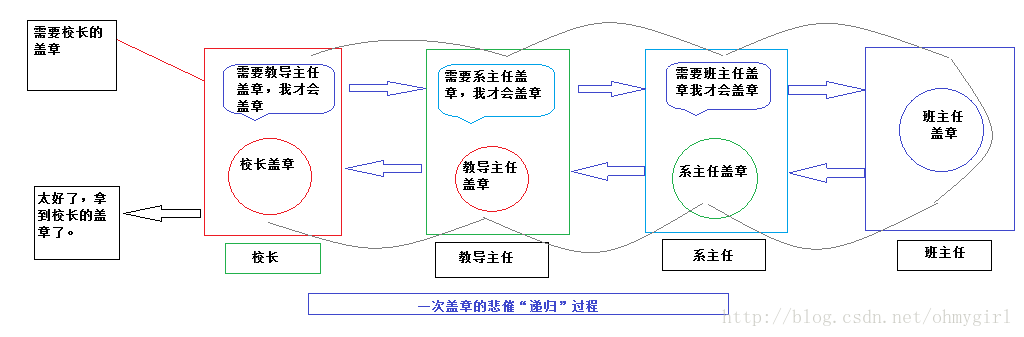 PHP中递归的实现实例详解递归(http:/en.wikipedia.org/wiki/Recursive)是一种函数调用自身(直接或间接)的一种机制,这种强大的思想可以把某些复杂的概